
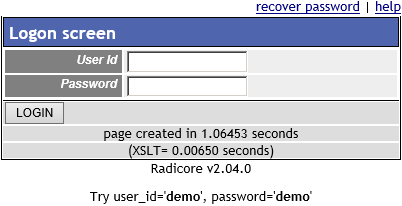
Option 1 - via User Id
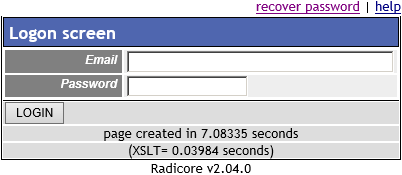
Option 2 - via Email Address
This is the screen that all users must negotiate before they can gain access to the system.
The user's identity is normally provided by the user_id, but this can be changed to the email_address by changing the login_type on Menu Control Data.
All input will be validated against the contents of the USER table. If RADIUS Authentication or LDAP Authentication has been turned on then the password will be validated against the RADIUS/LDAP server and not the contents of the USER table. If either the USER_ID does not exist or the USER_PASSWORD is invalid the error message 'Security violation' will be displayed. This avoids informing a snooper which of those two fields is actually wrong.
If the user cannot remember his password he may use the "recover password" link to activate the Retrieve Password screen. This does not apply if RADIUS Authentication or LDAP Authentication has been turned on as passwords are not held on the USER table.
Note that a particular USER_ID may exist, but the IS_DISABLED flag may have been set to 'true' by the system administrator, in which case that USER_ID cannot be used.
There are two other mechanisms in place which are designed to deter unauthorised access by snoopers or hackers:
If valid details are entered then the user will be taken to the menu/home page. The initial menu shown will be the one identified as START_TASK task for the ROLE to which the user belongs.
Note that the user may be required to change his/her password if the conditions identified on the Menu Control Record have been met. If this is the case then the user must go through the Change User Password screen first.
This screen also contains three areas which can be populated with text from the following files:
